Wednesday, 16 December 2015

KitKat (ANDROID)


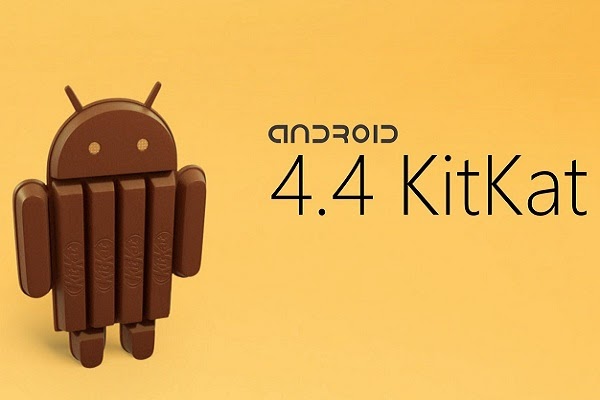
Google Android 4.4 builds on the success of Jelly Bean with KitKat, a powerful mobile operating system that makes up for its lack of candy coating with a solid framework. KitKat like its name is very delicious for operating purposes. 

Smart ,Simple and Truly yours

Android KitKat brings all of Android's most innovative, most beautiful, and most useful features to more devices everywhere.Its has more polished design ,improved performance and have many new features.

First Time ever Making Android for everyone

Android 4.4 is designed to run fast, smooth, and responsively on a much broader range of devices than ever before , including on millions of entry-level devices around the world that have as little as 512MB RAM. KitKat streamlines every major component to reduce memory use and introduces new APIs and tools to help you create innovative, responsive, memory-efficient applications.

Just say “Ok Google”

You don’t need to touch the screen to get things done. When on your home screen* or in Google Now, just say “Ok Google” to launch voice search, send a text, get directions or even play a song.

NFC capabilities through Host Card Emulation

It introduces new platform support for secure NFC(near field communication) -based transactions through Host Card Emulation (HCE), for payments, loyalty programs, card access, transit passes, and other custom services. With HCE, any app on an Android device can emulate an NFC smart card, letting users tap to initiate transactions with an app of their choice , no provisioned secure element (SE) in the device is needed. Apps can also use a new Reader Mode to act as readers for HCE cards and other NFC-based transactions.


Low Power Sensors

It introduces platform support for hardware sensor batching, a new optimization that can dramatically reduce power consumed by ongoing sensor activities.
With sensor batching, Android works with the device hardware to collect and deliver sensor events efficiently in batches, rather than individually as they are detected. This lets the device's application processor remain in a low-power idle state until batches are delivered. You can request batched events from any sensor using a standard event listener, and you can control the interval at which you receive batches. You can also request immediate delivery of events between batch cycles.

Step Detector and Step Counter

It also introduces the step detector and step counter sensors that counts and detect your steps while you are walking. The step detector analyses accelerometer input to recognize when the user has taken a step, then triggers an event with each step. The step counter tracks the total number of steps since the last device reboot and triggers an event with each change in the step count. Because the logic and sensor management is built into the platform and underlying hardware, you don't need to maintain your own detection algorithms in your app.
These sensors are available on Nexus 5.


A work of art

While listening to music on your device, or while projecting movies to Chromecast, you’ll see beautiful full-screen album and movie art when your device is locked. You can play, pause, or seek to a specific moment.

It motivates to Immerse yourself

The book you're reading, the game you're playing, or the movie you're watching , now all of these take center stage with the new immersive mode, which automatically hides everything except what you really want to see. Just swipe the edge of the screen to bring back your status bar and navigation buttons.

Faster Multi-Tasking

Android 4.4 takes system performance to an all-time high by optimizing memory and improving your touchscreen so that it responds faster and more accurately than ever before. This means that you can listen to music while browsing the web, or race down the highway with the latest hit game, all without a hitch.


Smart And Simple

The future is calling

The new phone app automatically prioritizes your contacts based on the people you talk to the most. You can also search for nearby places and businesses, your contacts, or people in your Google Apps domain.


A smarter caller ID

Whenever you get a call from a phone number not in your contacts, your phone will look for matches from businesses with a local listing on Google Maps


All your messages in the same place

Never miss a message, no matter how your friend sends it. With the new Hangouts app, all of your SMS and MMS messages are together in the same app, alongside your other conversations and video calls. And with the new Hangouts, you can even share your location and send animated GIFs.


Emoji everywhere

Sometimes words can’t express how you feel. For that, there’s Emoji, the colorful Japanese characters, now available on Google Keyboard.


Print wherever, whenever


Now you can print photos, documents, and web pages from your phone or tablet. You can print to any printer connected to Google Cloud Print, to HP ePrint printers, and to other printers that have apps in the Google Play Store.


Pick a file, any file

From apps like Quickoffice, you can open and save files on Google Drive, other cloud storage services, or your device. And with quick access to recently used files, it's easier than ever to send the file you were just working on.


Bluetooth MAP support

Android now supports the Message Access Profile (MAP) so Bluetooth-enabled cars can exchange messages with your devices.

Chromecast support

With your Android device and a Chromecast, you can enjoy your favorite online entertainment, from Netflix, YouTube, Hulu Plus, and Google Play on your HDTV.

HDR+ photography

HDR+ mode on Nexus 5 automatically snaps a rapid burst of photos and combines them to give you the best possible single shot. Daytime pictures are vivid with clean shadows, and night time photos are sharp with less noise.

So basically KitKat is a complete package and filled with full-time fun and genuine smooth processing ,plus some previous features with little alterations and changings .


"Technology gives us power, but it does not and cannot tell us how to use that power. Thanks to technology, we can instantly communicate across the world, but it still doesn't help us know what to say."

Advantages and Drawbacks of Touch Screens


Touchscreen is an electronic visual display that the user can control through simple or multi-touch gestures by touching the screen with a special stylus/pen or by one or more fingers. Some touchscreens use an ordinary or specially coated gloves to work while others use a special stylus/pen only. The user can use the touchscreen to react to what is displayed and to control how it is displayed (for example by zooming the text size).


It is a basic matter of fact that everything which has advantages ,also have disadvantages as well.
So, in this particular blog I'll tell you about the advantages and disadvantages of the touch screen.
First look at some advantages of touch screen.


Advantages of Touch Screen

  • They have simple user interface
  • They are easy to observe/see
  • They have high volume usage
  • They are easy to operate and you don't need much training
  • You can have your own freedom what you want to do
  • They have easier hand and eye co-ordination
  • No extra peripherals such as mouse are needed
  • They have a keyboard which have permanent overlay
  •  With multi-touch function, various operations/inputs are possible
  • Unlike keyboard or physical switch, there will be no dirt, dust, and moisture getting into the spaces between buttons. Thus, it is easy for maintenance
  • Big screen is ideal for web browsing, picture and movies
Now these were all the advantages of touch screen ,now see the drawbacks of touch screen

Drawbacks of Touch Screen
  • Not suitable for imputing large amount of data
  • Selecting detailed objects can be difficult with fingers
  • It is much more expansive than its other alternatives
  • Since a display is directly touched, the display may get dirty, then become less-visible. A direct touch may also cause scratches on the screen that may cause malfunction in some cases.
  • Unlike push-button and mouse, users will not feel "click" when a user input a touch screen, thus operation may become clumsy sometimes. However, there are certain touch screens that provide "click feeling" when touched.
  • Touch screen is difficult to be operated for the visually impaired. Some creative ways to let them know where to touch are needed. Sound navigation and physical buttons might be helpful in combination with touch screen.
  • Big screen leads to low battery life
  • The screen has to be big enough to be able to touch the buttons without missing
  • You have to be within arms reach of the device
  • In bright sunlight it is much less efficient and very difficult to see
  • It can cause wrist injuries
  • Small objects are not easy to select
  • Having a big bright screen means faster consumption of battery


"Our technological powers increase, but the side effects and potential hazards also escalate."

MOTHER BOARD

Motherboard ( Main Circuit Board )

Motherboard is the board which interconnects the components of the computer. Like its name , it is the mother of the computer , controlling , checking , assembling the workings of the computer. Motherboard  is the main printed circuit board (PCB) found in computers .It holds many of the electronic components of the system, such as the central processing unit (CPU) and memory, and provides connectors for other components. Unlike a backplane, a motherboard contains significant sub-systems such as the processor and other components.

Motherboard specifically refers to a PCB with expansion capability and as the name suggests, this board is the "mother" of all components attached to it, which often include sound cards, video cards, network cards, hard drives, or other forms of persistent storage; TV tuner cards, cards providing extra USB or FireWire slots and a variety of other custom components 


Types of Motherboards

Basically there are two types of motherboards which distinguish them completely.
  • Integrated Motherboards
  • Non-integrated Motherboards
Integrated Motherboards
It has multiple components integrated into the board itself. These may include the CPU ,video card ,sound card and various controller cards. All the things that you are required are integrated on board , you cannot upgrade it by your self. If you wanted to upgrade your system board ,the only thing you can do is changing the whole motherboard.

=> Most of the laptops have fully integrated system boards. From this ,it is obvious that a laptop once manufactured ,can't be upgraded.


Non-integrated Motherboard
These system boards uses installable components and expansion cards .A non-integrated system board may allow you to upgrade your video card by removing the old one and installing a new one . Non-integrated motherboards typically have several PCI( Peripheral Component Interconnect ) expansions slot as well.


Form Factors
Motherboards are produced in a variety of sizes and shapes called computer form factor, some of which are specific to individual computer manufacturers. Basically the form factor is the specification of a motherboard ,that is dimensions, power supply type, location of mounting holes, number of ports on the back panel, etc.
 
Some common Form Factors


Standard-ATX
ATX (Advanced Technology Extended) is a motherboard configuration specification developed by Intel in 1995 to improve the previous AT design.

Micro-ATX
Micro-ATX is a standard for motherboards that was introduced in December 1997.  The maximum size of a microATX motherboard is 9.6 × 9.6 in (244 × 244 mm), but some microATX boards can be as small as 6.75 × 6.75 in (171.45 × 171.45 mm). The standard ATX size is 25% longer, at 12 × 9.6 in (305 × 244 mm). 
Currently available microATX motherboards support CPUs from VIA, Intel or AMD.


Mini-ITX
Mini-ITX is a 17 × 17 cm (6.7 × 6.7 in) low-power motherboard form factor developed by VIA Technologies in 2001 .They are commonly used in small form factor (SFF) computer systems. Mini-ITX boards can often be passively cooled due to their low power consumption architecture, which makes them useful for home theater PC systems, where fan noise can detract from the cinema experience.

Nano-ITX
Nano-ITX is a computer motherboard form factor first proposed by VIA Technologies at CeBIT in March 2003, and implemented in late 2005. Nano-ITX boards measure 120 × 120 mm (4.7 × 4.7 in), and are fully integrated, very low power consumption motherboards with many uses, but targeted at smart digital entertainment devices such as PVRs, set-top boxes, media centers, car PCs, and thin devices.


Pico-ITX
Pico-ITX is a PC motherboard form factor announced by VIA Technologies in January 2007 . The Pico-ITX form factor specifications call for the board to be 10 × 7.2 cm (3.9 × 2.8 in), which is half the area of Nano-ITX.


Some Other Form Factors
  • XT Motherboard
  • AT Motherboard
  • Baby AT Motherboard


"The number one benefit of information technology is that it empowers people to do what they want to do. It lets people be creative. It lets people be productive. It lets people learn things they didn't think they could learn before, and so in a sense it is all about potential."

SRAM and DRAM

SRAM-Static Random Access Memory

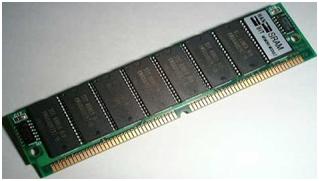
SRAM or Static RAM is a type of a semiconductor memory where the word static indicates that ,it does not need to be periodically refreshed , as SRAM uses bistable latching circuitry  to store each bit.


Although it is quicker ,more expensive and holds fewer data per unit volume .It is commonly used in Cache and Video Card memory.


DRAM-Dynamic Random Access Memory

DRAM or Dynamic RAM is a type of physical memory used in most of personal computers .The term dynamic indicates that the memory must be constantly refreshed ( re-energized ) or it will lose its content.
  • RAM is sometimes referred as DRAM to distinguish it from SRAM
 DRAM stores information in a cell containing a capacitor and transistor ;because of this design ,these cells must be refreshed with new electricity every few milliseconds ,allowing the memory to keep its charge and hold the data as long as needed .


"What new technology does is create new opportunities to do a job that customers want done."

Computer Viruses

                            Computer Viruses

Introduction of Virus: Computer viruses are similar to biological viruses in the way they multiply in number and in the way they need a host to survive. However, in both scenarios there must be a cause, such a weak immune system or an expired anti-virus program, in order for the virus to penetrate and spread. Having a reliable anti-virus program is the best solution.Just as a biological virus spreads by injecting its DNA into a host cell, whereas a computer virus needs to attach itself to a document or program to infect other computers and programs.
Dependence of virus and importance of virus learning:The way a computer virus infiltrates your PC depends on the type of virus it is. Because all computers viruses have their own features and factors that make them unique and dangerous to the health of your computer. Making it important than ever to learn about the different types of computer viruses lurking in the corners of cyberspace and on the fringes of your hard drive. The advantage of learning more about these computer viruses is two fold. First, you'll gain valuable knowledge, and second you'll be able to better prevent and deal with a computer virus when and if it preys your computer.
Due to the many different types of computer viruses, it can be confusing at times to diagnose what kind of virus your computer is suffering from. To make the identifying process easier, we've listed the three basic types of viruses that you will likely encounter.
These computer viruses include:
  • Trojan virus
  • Worms
  • Email Viruses
Trojan virus: The Trojan virus gets its name from an incident that occurs in Homer'sIliad. Similar to how the Greeks in Homer's poem sent an army of men, hidden in a wooden horse, to the Trojans to get into the wall of the city. A Trojan horse appears to be nothing more than an interesting computer program or file, such as "saxophone.wavfile" on the computer of user who's interested in collecting sound samples. The Trojan virus once on your computer, doesn't reproduce, but instead makes your computer susceptible to malicious intruders by allowing them to access and read your files. Making this type of virus extremely dangerous to your computer's security and your personal privacy. Therefore, you should avoid downloading programs or files from sites if you're not 100 percent positive of what the file or program does.
Worms: A Worm is a virus program that copies and multiplies itself by using computer networks and security flaws. Worms are more complex than Trojan viruses, and usually attack multi-user systems such as Unix environments and can spread over corporate networks via the circulation of emails. Once multiplied, the copied worms scan the network for further loopholes and flaws in the network. A classic example of a worm is the ILOVEYOU virus.
The best way you can protect yourself from worms is by updating your security patches. Operating systems and application vendors normally provide these patches. In addition, you should avoid opening email attachments from unknown senders.
Email viruses:Email viruses use email messages to spread. An email virus can automatically forward itself to thousands of people, depending on whose email address it attacks. To avoid receiving virus-laden emails, always check that your antivirus software is up-to-date and also stay clear of opening attachments, even from friends that you weren't expecting or don't know anything about. Also, block unwanted email viruses by installing a spam filter and spam blocker.